


Learning how to replace reverse osmosis filters and the RO membrane helps protect water quality, maintain normal output, and prevent avoidable leaks or premature membrane failure.
Most residential reverse osmosis systems use separate pre-filters, an RO membrane, and one or more post-filters. These components do different jobs and usually do not follow the same replacement schedule. As a general starting point, sediment and carbon pre-filters are often replaced every 6–12 months, while an RO membrane may last approximately 2–5 years. Actual service life depends on the system model, water quality, household consumption, and maintenance history.
This guide explains how to determine what needs replacement, safely change the filters and membrane, flush the system, and troubleshoot common problems. Always compare these general instructions with the manual for your exact RO model before beginning.
Reverse Osmosis Filter and Membrane Replacement: What to Replace and When
The most important maintenance decision is whether you need new filters, a new membrane, or both. A calendar provides a useful reminder, but system performance often gives a more accurate answer.
RO Membrane Basics: Understanding Your Reverse Osmosis System
The RO membrane is the central treatment stage in a reverse osmosis system. Feed water is pushed against a semipermeable membrane. A portion becomes product water, while a separate stream carries concentrated dissolved material toward the drain.
The membrane is not the same as a sediment or carbon cartridge. Pre-filters protect it from particles and treatment chemicals that could clog or damage it. Post-filters condition the water after membrane treatment, often before it reaches the faucet.
A membrane generally lasts longer than the replaceable pre-filters around it. However, its lifespan may be shortened by:
- Delayed sediment or carbon filter replacement
- High levels of dissolved solids in the feed water
- Hardness and scale formation
- Heavy household water consumption
- Inadequate protection from chlorine or other oxidants
- Low feed pressure or other operating problems
- Extended periods of improper storage or inactivity
Because these conditions differ between homes, the correct RO membrane change schedule is a combination of the manufacturer’s interval and observed performance—not age alone.
Pre-Filters, the RO Membrane, and Post-Filters: What Each Stage Does
Although stage arrangements vary, most under-sink systems contain the following components:
- Sediment pre-filter: Captures visible particles such as dirt, rust, and silt. A clogged sediment filter commonly causes reduced flow.
- Carbon pre-filter: Reduces chlorine, tastes, odors, and other substances addressed by the filter media. It also helps protect chlorine-sensitive RO membranes.
- RO membrane: Separates many dissolved substances from the product-water stream. Declining rejection performance is a primary reason for membrane replacement.
- Post-filter: Polishes water after the membrane or storage tank. An exhausted post-filter may cause unpleasant taste or odor even if membrane performance remains stable.
- Optional specialty stages: Some systems include remineralization, alkaline, UV, or other stages. These must be serviced according to their own instructions.
Do not assume that cartridges with a similar shape are interchangeable. Dimensions, connection styles, media, seals, flow direction, and system programming may differ.
How Often Should RO Filters and the Membrane Be Replaced?
Typical replacement ranges for residential RO systems are:
- Sediment and carbon pre-filters: Commonly every 6–12 months
- RO membrane: Commonly every 2–5 years
- Post-filter and specialty stages: According to the model manual and observed taste, odor, or flow performance
These are planning ranges rather than universal deadlines. Poor feed-water quality or high usage can shorten them. A properly maintained system operating under favorable conditions may reach the longer end of its recommended range.
Some specific Frizzlife models use cartridge-life indicators or a rated service period for individual stages. Those values apply only to the documented model and cartridge. Follow the manual rather than applying one model’s schedule to another system.
Should the Filters and Membrane Be Replaced at the Same Time?
Not necessarily. Pre-filters are usually replaced more frequently than the membrane. If the membrane still produces normal flow and its TDS rejection remains stable, routine filter service does not automatically require membrane replacement.
Replacing everything during the same service may make sense when:
- The membrane has reached its model-specific service interval.
- Product-water TDS continues rising after fresh pre-filters are installed and flushed.
- Membrane rejection has declined compared with the system’s established baseline.
- Output remains unusually slow after clogged pre-filters and other obvious restrictions are addressed.
- The system has an uncertain or neglected maintenance history.
- The manual specifies a coordinated replacement interval.
When changing both, install and flush the pre-filters according to the manual before exposing the new membrane to their initial flow. This helps keep carbon fines and installation debris from being sent directly into the membrane stage.
Key Triggers for Replacing a Reverse Osmosis Membrane
Consider a reverse osmosis membrane replacement when one or more of these conditions persist:
- Product-water TDS rises over time. A steady upward trend under comparable operating conditions can indicate declining membrane rejection.
- Rejection rate falls from the established baseline. This is more meaningful than using one universal product-water TDS number.
- Water production remains slow after pre-filter replacement. The membrane may be fouled, although feed pressure, tank pressure, valves, tubing, and the flow restrictor should also be checked.
- The membrane has reached its documented service interval. Age matters more when combined with performance changes.
- The membrane was exposed to damaging conditions. Examples can include inadequate pre-filtration, scaling, or prolonged exposure to an oxidant the membrane is not designed to tolerate.
- Fresh filters do not restore normal system performance. This helps distinguish a membrane problem from a clogged pre-filter.
Taste or odor alone is not a reliable membrane test. Those symptoms may originate in a carbon pre-filter, post-filter, storage tank, stale plumbing, or the incoming water.
Using TDS Trends, Water Flow, Taste, and Odor to Guide Replacement
A handheld TDS meter can help monitor membrane performance, but the result should be interpreted as a trend. TDS does not identify individual substances and does not by itself establish that water is safe or unsafe.
To estimate rejection rate, measure feed-water TDS and product-water TDS under similar conditions:
Rejection rate = (Feed-water TDS − Product-water TDS) ÷ Feed-water TDS × 100
For example, if feed-water TDS changes seasonally, product-water TDS may also change even when the membrane is functioning normally. Compare measurements taken after the system has completed its required flushing and stabilized. Tank water that has been sitting for an extended period may also produce a different reading than freshly processed water.
Use the indicators together:
- Slow flow plus overdue pre-filters: Replace the pre-filters first.
- Normal flow plus unpleasant taste: Inspect the post-filter and confirm adequate flushing.
- Rising TDS plus stable feed-water TDS: Investigate membrane seating and membrane condition.
- Slow flow plus rising TDS after fresh filters: The membrane becomes a stronger suspect.
- Sudden change immediately after service: Check installation before assuming the new membrane is defective.

Decision Table: Which RO Component Should You Replace?
Symptom or condition |
Most likely area to inspect first |
Recommended next step
|
|---|---|---|
Pre-filters are past their scheduled interval |
Sediment and carbon stages |
Replace the compatible pre-filters and flush as directed |
Faucet flow has gradually weakened |
Sediment pre-filter, tank, or feed pressure |
Replace overdue pre-filters; then check valves and tank operation |
Chlorine-like or stale taste appears |
Carbon pre-filter or post-filter |
Check replacement dates and install the model-compatible filter |
Product-water TDS rises gradually |
RO membrane or membrane seating |
Install fresh pre-filters if due, flush, retest, and evaluate rejection |
TDS stays high immediately after membrane replacement |
Membrane orientation, seating, seals, or flushing |
Depressurize and inspect installation; confirm the correct membrane |
Flow remains low after new pre-filters |
Membrane, feed pressure, tank pressure, or restrictor |
Complete model-specific diagnostic checks before replacing more parts |
Membrane interval is reached but performance is stable |
RO membrane |
Follow the model manual; use age, usage, and performance together |
Maintenance history is unknown |
All stages |
Identify the model, inspect each stage, and consider a complete scheduled service |
Taste is off but TDS performance is stable |
Post-filter or insufficient flushing |
Flush as directed and inspect the post-filter rather than replacing the membrane automatically |
Preparing for RO Filter and Membrane Replacement
Correct preparation prevents most spills, damaged fittings, and installation errors.
Confirm the System Model and Cartridge Compatibility
Locate the model number before ordering parts. Confirm:
- Cartridge part number
- Number and order of stages
- Quick-change or standard housing design
- Membrane capacity and format
- Flow direction
- Replacement and flushing instructions
- Whether an electronic reset is required
After confirming the model and cartridge part number, use the Frizzlife collection of compatible RO replacement filters and membranes to locate the documented replacement for your system. Do not select a membrane solely because it fits inside the housing. Its output rating, seals, flow restrictor, pump, drain configuration, and system controls must work together.
Gather the Replacement Cartridges, Tools, Towels, and Model Manual
Depending on the system, you may need:
- Compatible pre-filters, membrane, or post-filter
- Filter-housing wrench
- Membrane-housing wrench, if specified
- Clean towels and a shallow container
- Clean disposable gloves
- Food-grade silicone lubricant, but only if the manual permits it
- Pliers for extracting an old membrane
- Replacement O-rings approved for the housing
- The system manual or official replacement instructions
Avoid petroleum-based lubricants on RO O-rings. Do not use household chemicals to sanitize the system unless the manufacturer provides an approved concentration and procedure.
Shut Off the Feed Water, Tank Valve, and Power Where Applicable
For a traditional tank-based system:
- Close the feed-water valve.
- Close the storage-tank valve.
- Disconnect electrical power if the system has a pump, UV stage, or electronic controls.
For tankless systems, close the feed supply and disconnect power when the manual instructs you to do so. Some individual cartridges may have an automatic shutoff feature, but that should never be assumed across models.
Open the RO Faucet to Depressurize the System
Open the RO faucet until water flow stops or slows to the level described in the manual. This releases trapped pressure before a housing, cartridge, cap, or tube is removed.
Place towels under the system. Even after depressurization, water will remain inside filter housings and tubing.
Protect O-Rings, Connections, and New Cartridges
Work with clean hands and keep replacement cartridges sealed until installation. Avoid touching membrane surfaces or the inside of open housings.
Inspect O-rings for:
- Cracks
- Flattened areas
- Cuts
- Twisting
- Dirt or carbon particles
- Incorrect placement in the sealing groove
An O-ring should sit evenly in its groove. More tightening will not correct a pinched or contaminated seal.
How to Replace Reverse Osmosis Filters
The exact procedure depends on whether the system has standard screw-on housings or quick-change cartridges.
Remove Standard Filter Housings or Quick-Change Cartridges
For standard housings:
- Confirm that the water is off and the system is depressurized.
- Support the housing with one hand.
- Use the housing wrench if required, turning in the direction specified by the manual.
- Lower the housing carefully and remove the old cartridge.
- Empty retained water into a container.
For a quick-change system:
- Remove the cover if applicable.
- Unlock the cartridge according to its markings or manual.
- Twist and withdraw it without forcing the manifold.
- Keep the connection area clean.
Some Frizzlife quick-change cartridges are removed by turning counterclockwise and installed clockwise, but the procedure is model-specific. Follow the labels and instructions for your system.
Inspect the Housings, O-Rings, and Flow Direction
Check each housing for cracks, thread damage, accumulated sediment, or debris in the sealing groove. Clean only as directed in the manual, using approved materials.
Verify filter orientation before installation. Some sediment cartridges can operate in either direction, while carbon blocks, inline post-filters, and specialty cartridges may have a defined inlet and outlet.
Install the New Pre-Filters and Post-Filter Correctly
Insert each cartridge into its assigned stage. Make sure it is centered and does not interfere with the housing seal.
For standard housings:
- Confirm that the O-ring is clean and properly seated.
- Thread the housing on carefully to avoid cross-threading.
- Hand-tighten unless the manual calls for a final adjustment with a wrench.
- Do not overtighten.
For quick-change cartridges:
- Align the cartridge with its manifold.
- Push it fully into place.
- Rotate it until it reaches the locked position.
- Reinstall any cover or retaining component.
Inline post-filters must follow the marked flow arrow. Reversing one can cause poor flow or improper operation.
Reopen the Water Supply Slowly and Check for Leaks
Keep the RO faucet open while slowly restoring the feed-water supply. This allows air to escape.
Inspect:
- Housing rims
- Membrane cap
- Quick-change cartridge connections
- Tube fittings
- Feed-water valve
- Tank valve
- Drain connection
If a leak appears, shut off the water and depressurize the system before adjusting anything. Never tighten a pressurized housing.
Reset the Filter-Life Indicator Where Required
Electronic indicators do not usually detect the physical condition of a cartridge. They estimate service life using time, water use, or programmed logic.
Complete the reset only after installing the correct new cartridge. On some Frizzlife systems, the procedure involves selecting the replaced stage and holding a reset control. The exact sequence varies, so consult the model manual.
How to Change the RO Membrane
Traditional systems often place the membrane in a horizontal cylindrical housing. Tankless and countertop units may use an enclosed quick-change membrane cartridge instead.
Locate and Open the Membrane Housing
After shutting off water, closing the tank valve, disconnecting power where applicable, and opening the faucet:
- Identify the membrane housing or membrane cartridge.
- Place a towel beneath it.
- Photograph tubing positions if several connections are close together.
- Remove any locking clips from quick-connect fittings.
- Disconnect only the tubing required to access the cap.
To release a push-fit connection, press the fitting’s collet evenly toward the body while pulling the tube straight out. Do not twist aggressively or pull at an angle.
Remove the Old Membrane and Inspect the Housing
Unscrew the housing cap with the specified tool. Grasp the exposed stem of the old membrane with clean pliers and pull it straight out without scraping the housing.
Inspect the interior for debris, damaged seals, or scale. Follow the manual’s cleaning instructions. Do not improvise with strong cleaners, bleach, or peroxide because an unapproved chemical or concentration can damage components or leave residues.

Insert and Fully Seat the New Membrane
Confirm the orientation shown in the manual. Traditional membranes commonly have a sealing arrangement that must enter the housing in a specific direction.
Keep the new membrane clean and:
- Align it squarely with the housing.
- Push it inward using steady pressure.
- Make sure it is fully seated in the internal connection.
- Check the cap O-ring and sealing surface.
- Reinstall the cap without cross-threading.
- Reconnect the tubing to its original port.
For a quick-change membrane cartridge, align its tabs or markings, insert it into the manifold, and rotate it into the locked position specified for the model.
Reassemble the Housing, Restore Water, and Check Every Connection
Restore the feed water slowly while watching the housing and tubing. Reconnect electrical power only when the manual instructs you to do so.
Check again after the system has been pressurized for several minutes. A dry paper towel placed around a fitting can make a slow leak easier to detect.
Why a Higher-GPD Membrane Is Not Automatically Compatible
A higher gallons-per-day rating does not make a membrane a direct upgrade. Membrane capacity is coordinated with the flow restrictor, drain flow, pump, pressure, tubing, controls, and other system components.
Installing an unsupported membrane may cause poor rejection, excessive drain flow, low recovery, repeated cycling, or incorrect filter-life calculations. Use the capacity specified for your model unless Frizzlife support confirms a compatible system modification.
Flushing Your New Reverse Osmosis Membrane for Optimal Performance
New filters and membranes must be flushed before the water is used for drinking or cooking. Flushing clears trapped air, loose carbon particles, manufacturing residues, and membrane storage preservatives.
Flush New Pre-Filters Before Sending Water to the RO Membrane
Where the system design and manual permit, flush new sediment and carbon stages before directing their output to a new membrane. This reduces the chance of carbon fines or installation debris entering the membrane housing.
Do not disconnect stages or operate a pump dry to create an improvised flushing route. Integrated tankless systems may manage the process automatically or require a specific startup sequence.
How Much Flushing Is Needed After Installing a New RO Membrane?
There is no single flushing duration for every RO system.
Depending on the design, instructions may require:
- Running the faucet continuously for a specified period
- Discarding one or two full storage tanks
- Completing an automatic tankless flush cycle
- Flushing filters and the membrane for different amounts of time
Some Frizzlife tankless model instructions specify approximately 10 minutes for certain filters and 20 minutes for the membrane. These times should not be generalized to every Frizzlife system. Use the exact procedure in the manual for your model and cartridge.
Do not drink the initial flush water. Continue flushing if the manual requires additional cycles or if preservative taste remains.
Tank-Based Versus Tankless Flushing Procedures
For a traditional tank-based system, the general process is:
- Restore feed water.
- Open the tank valve when instructed.
- Allow the tank to fill completely.
- Open the faucet and drain the tank.
- Repeat if the manual calls for a second discarded tank.
- Allow the tank to refill before normal use.
A newly installed membrane may need several hours to fill a storage tank, depending on the system and operating conditions.
For a tankless system:
- Restore water and power in the specified sequence.
- Start the model’s manual or automatic flush cycle.
- Keep the faucet open for the required time if instructed.
- Discard all flushing water.
- Reset the relevant cartridge-life indicator.
Do not use the first-tank rule for a system without a storage tank. Likewise, do not substitute a short timed flush when a tank-based manual requires complete fill-and-drain cycles.
What Temporary Cloudiness, Air, or Carbon Fines May Mean
Temporary cloudiness after service is commonly caused by trapped air. Fill a clear glass and let it stand. If the cloudiness clears from the bottom upward, air is the likely cause.
Small black or gray particles can be loose carbon fines from a new carbon cartridge. Proper flushing should clear them. Air-related sputtering and moderate operating noise may also occur while the system purges itself.
Stop using the system and inspect it if you notice:
- Cloudiness that does not clear
- Persistent chemical or unusual odor after the required flush
- Visible particles that continue after flushing
- Leaks
- Repeated error indicators
- TDS performance that remains abnormal after stabilization
Troubleshooting After RO Filter and Membrane Replacement
Water Leaks from a Housing, Cap, or Tubing Connection
Shut off the feed water, close the tank, disconnect power if needed, and depressurize.
For a housing leak, check for:
- A pinched, dirty, dry, or damaged O-ring
- A cross-threaded housing
- Debris on the sealing surface
- A cracked housing or cap
- Overtightening
For a tubing leak, remove the tube and inspect the end. It should be clean, round, and inserted fully into the quick-connect fitting. Replace damaged tubing or fittings according to the manual rather than attempting to seal a push-fit connection with tape.
No Water or Very Slow Flow at the RO Faucet
Verify that the feed valve, tank valve, and faucet are open. Check that cartridges are fully locked, tubing is not kinked, and power has been restored to a powered system.
A tank-based system may initially have little water because the tank is still filling. A tankless system may temporarily reduce output while flushing or clearing air. If low flow persists, review feed pressure, filter installation, membrane seating, and the model’s diagnostic indicators.
The Storage Tank Is Filling Slowly
A slow-filling tank can result from:
- Clogged pre-filters
- Low feed pressure
- A fouled membrane
- Incorrect tank pressure
- A partially closed valve
- A drain or flow-restrictor problem
- Normal initial filling after complete drainage
Do not add air to a full tank. Tank pressure checks and adjustments must follow the system manual.
TDS Remains High After Installing a New Membrane
Possible causes include:
- Insufficient flushing
- Testing before the system stabilizes
- Incorrect membrane orientation
- A membrane that is not fully seated
- Damaged or displaced seals
- The wrong membrane for the housing
- An unexpected change in feed-water TDS
- Incorrect tubing connections
Retest feed and product water under similar conditions after completing the required flush. If performance remains abnormal, stop repeatedly disassembling the unit and contact support.
Taste or Odor Persists After Flushing
Confirm that the complete flush procedure was performed. If membrane performance is normal, investigate the carbon pre-filter, post-filter, storage tank, and incoming water rather than replacing the membrane again.
Persistent chemical, musty, or unusual odors should not be masked with an improvised sanitizing treatment. Ask Frizzlife support for a model-approved cleaning or sanitation procedure.
The System Makes Noise or Cycles Unexpectedly
Air may cause temporary sputtering, drain noise, or pump operation after service. This should lessen as the system fills and purges.
Continued cycling or unusual noise may indicate:
- A small leak
- A partially closed valve
- An incompletely seated cartridge
- Trapped air
- A drain restriction
- Incorrect tank pressure
- A control or sensor issue
Disconnect power and shut off the water if noise is accompanied by leakage, an error that will not clear, overheating, or failure to produce water.
When to Contact Frizzlife Support
Contact Frizzlife support when:
- The correct cartridge cannot be identified
- A housing, manifold, or fitting appears damaged
- A leak returns after the O-ring and tubing are correctly reseated
- TDS remains unexpectedly high after flushing and installation checks
- A powered system displays a persistent error
- You are considering a different-GPD membrane
- The manual’s instructions do not match the installed configuration
Maintaining Your RO System After Replacement
Write the service date and the cartridges replaced in a maintenance log. If the system has an indicator, keep a separate record so you can verify whether it was reset correctly.
Check for leaks after the first flush, later the same day, and again after the system has completed a full operating cycle. Monitor flow, taste, odor, feed-water TDS, and product-water TDS under reasonably consistent conditions.
Timely pre-filter replacement is one of the most practical ways to protect membrane life. If taste or odor points specifically to the polishing stage, verify the system’s required RO post-filter replacement rather than assuming the membrane has failed.
If an older system has recurring leaks, obsolete cartridges, damaged housings, repeated electrical faults, or repair needs affecting several major components, replacement may be more practical than continued repairs. Compare the condition of the existing unit with currently available Frizzlife reverse osmosis systems, while confirming installation requirements for the intended location.
Find the Right RO Replacement or Upgrade
Keeping your reverse osmosis system running efficiently starts with the right maintenance. Whether you need compatible replacement filters or are considering upgrading an aging RO system, explore these Frizzlife options for your next step.
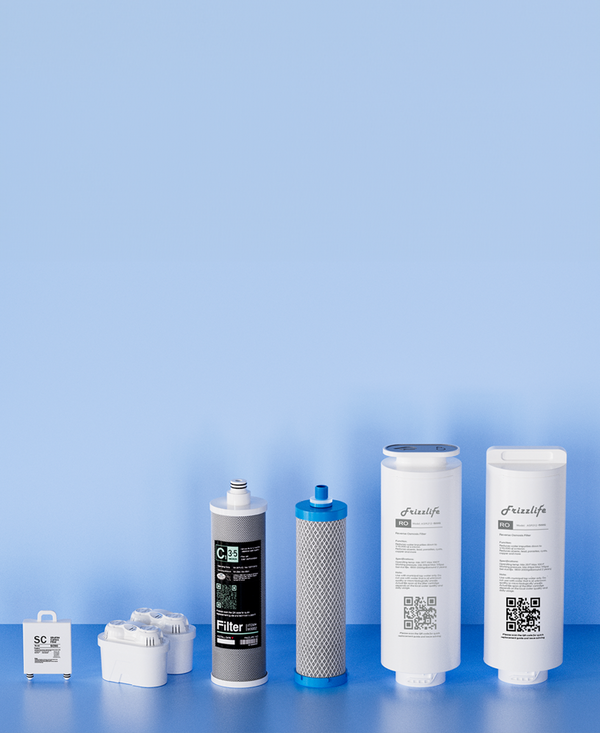
Frizzlife Replacement Filters
Find replacement cartridges and RO membranes for your Frizzlife water filtration system. Check the exact model and filter compatibility before ordering.
Find Replacement Filters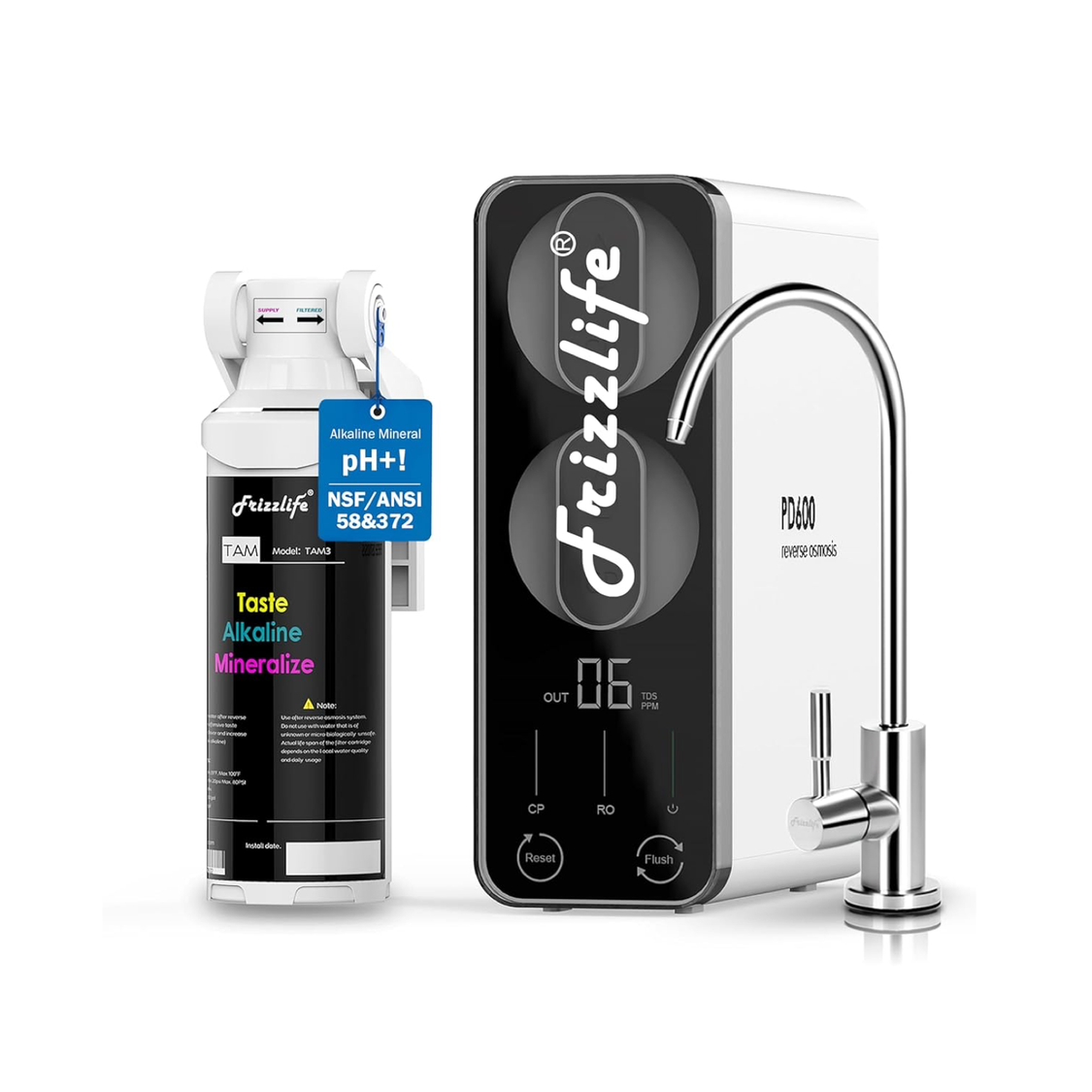
Frizzlife PD600-TAM3
A 600 GPD tankless reverse osmosis system with alkaline remineralization. An option to consider when replacing an aging under-sink RO system.
Explore PD600-TAM3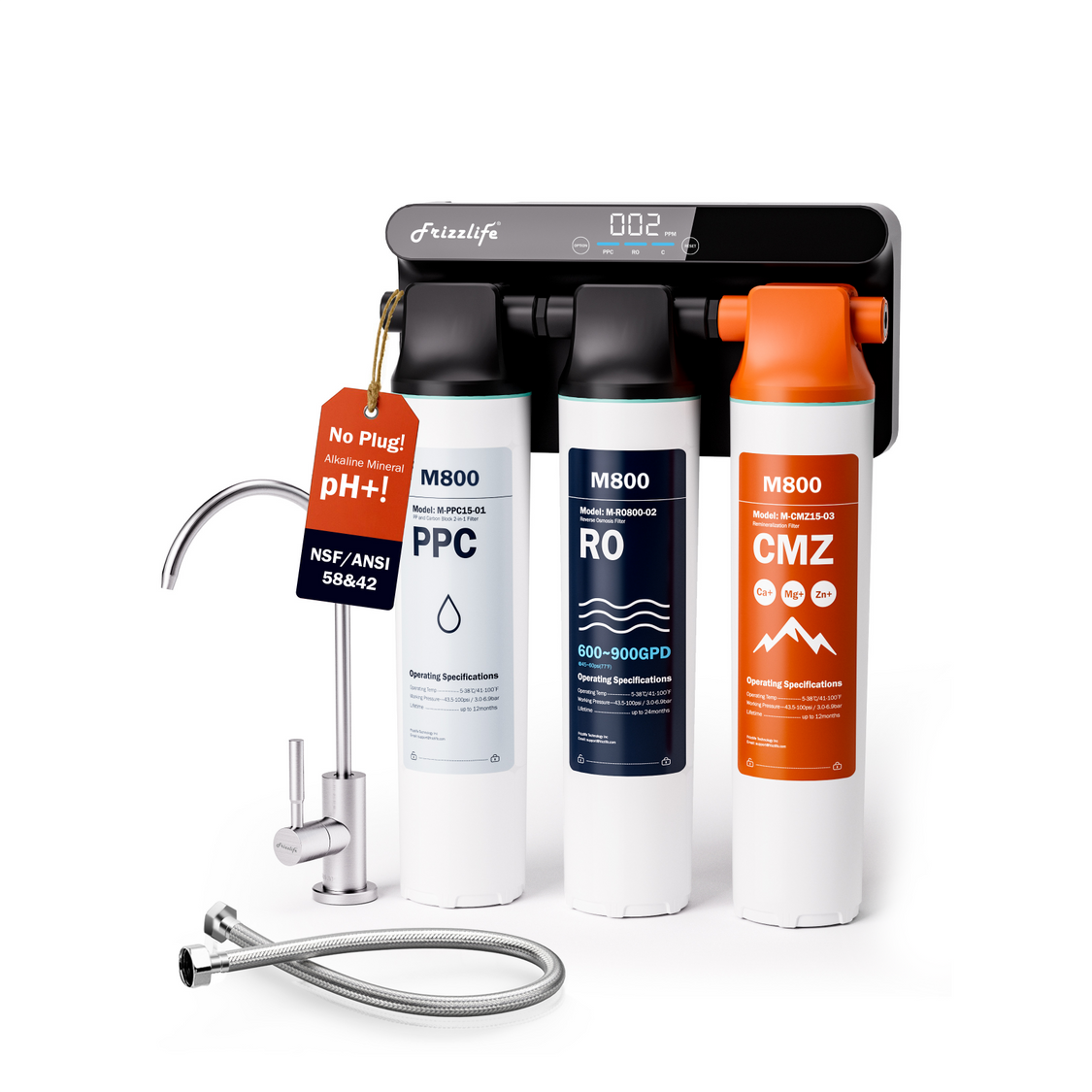
Frizzlife M800 RO System
A 900 GPD non-electric tankless RO system designed for under-sink installation. Explore this alternative when comparing replacement systems and maintenance needs.
Explore M800Before you buy: Replacement cartridges are model-specific. Always verify filter compatibility, system specifications, and installation requirements. PD600-TAM3 and M800 are complete RO systems, not universal replacement cartridges.
The central rule is simple: replace pre-filters on schedule, evaluate the membrane using both age and performance, install only compatible components, and complete the exact flushing procedure for your model. That approach makes changing RO filters and membranes safer, more predictable, and less likely to create new problems.
References
- Frizzlife: Change RO Filters the Right Way—Reverse Osmosis Filter Replacement Guide
- Frizzlife: RO Membrane Replacement Guide